Transcript, not a blank page
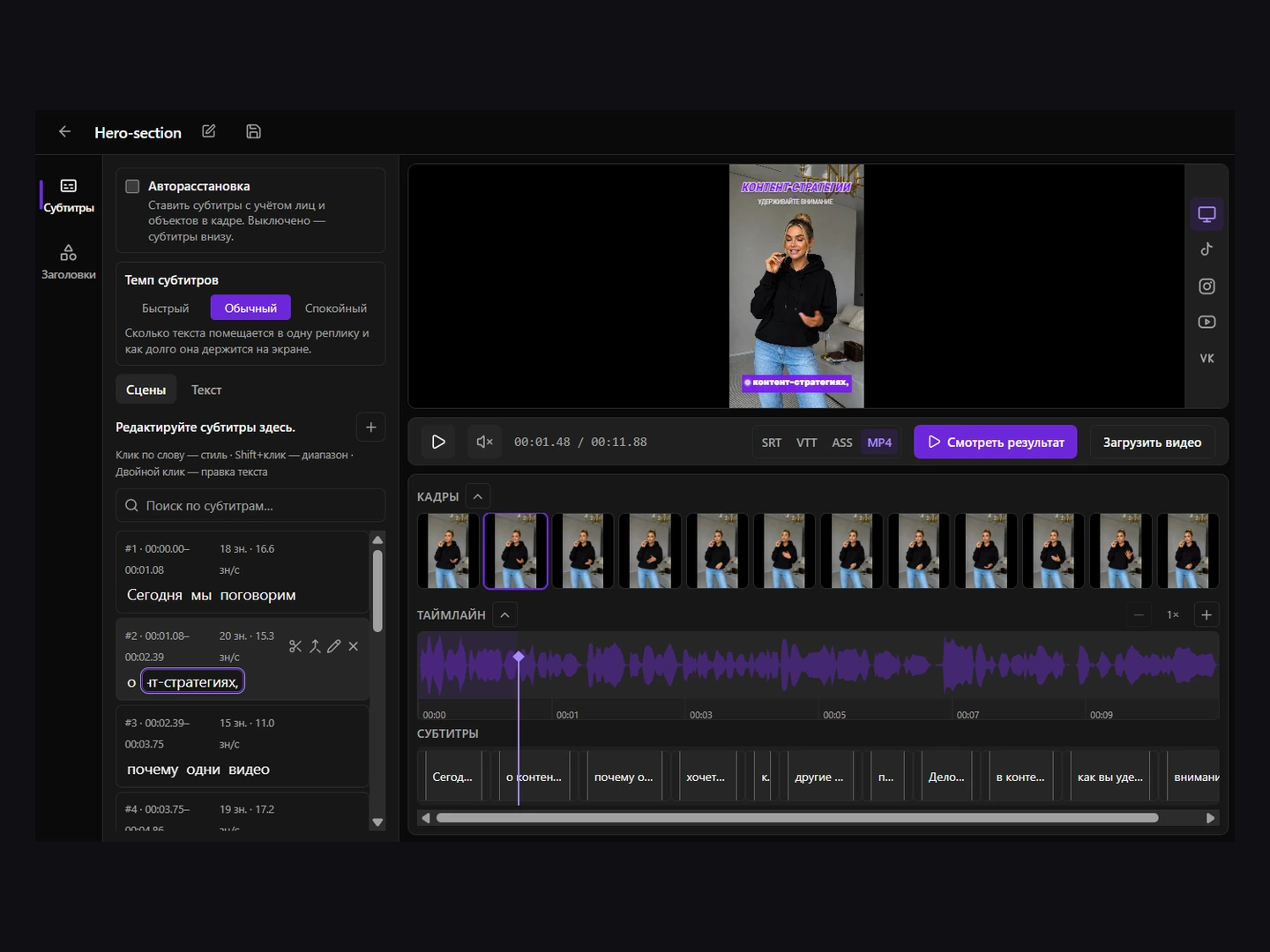
Captions Space recognises speech in 50+ languages and aligns every word to the sound. Cue boundaries land where the voice actually breaks.
AI video editor
Not a general-purpose timeline that happens to do captions. One job, done all the way through: the words, the timing, the look and the export.
Open the editor →Just need to fix an SRT file? →
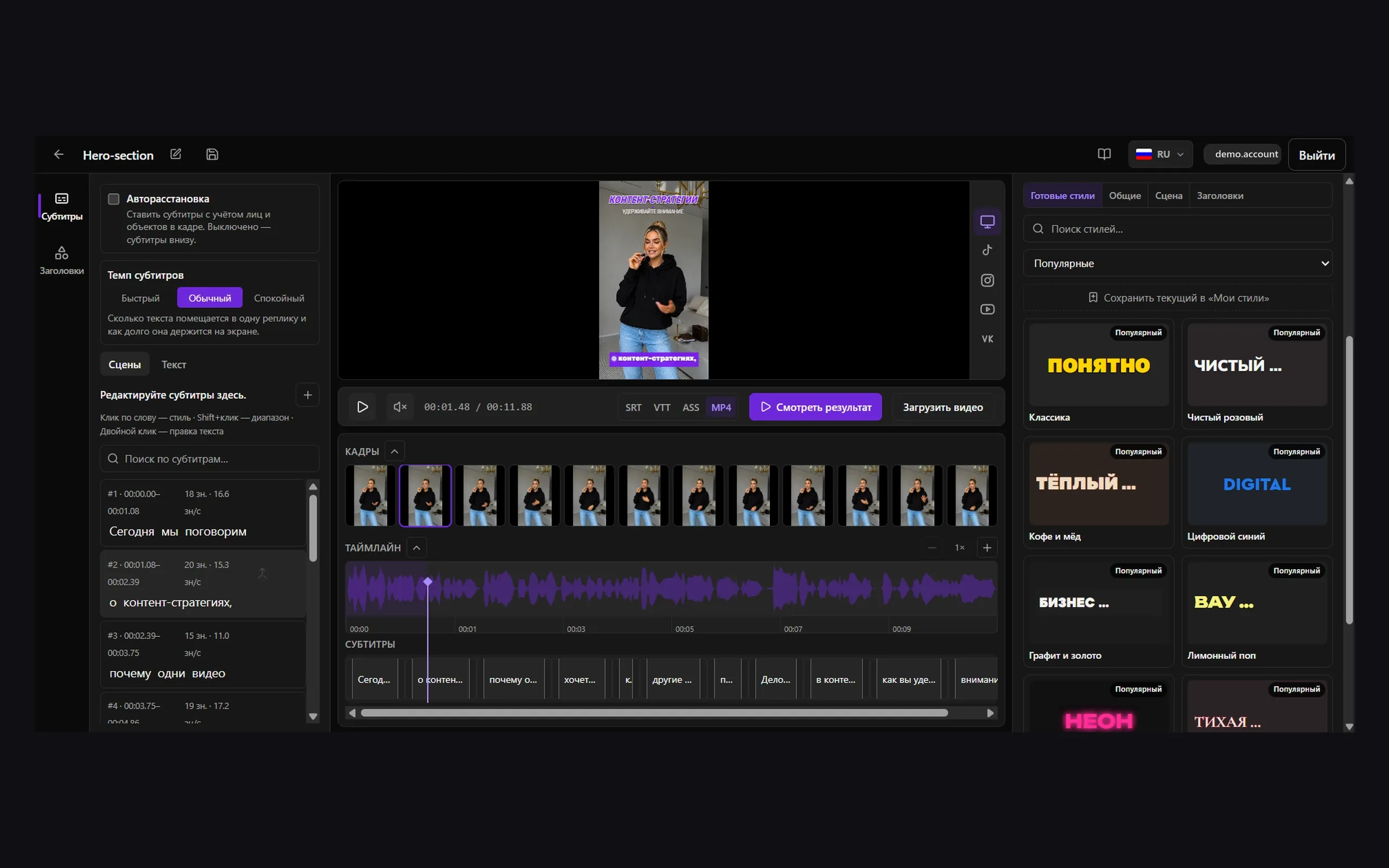
You do not start from an empty timeline. You start from a finished version and argue with it.
Captions Space recognises speech in 50+ languages and aligns every word to the sound. Cue boundaries land where the voice actually breaks.
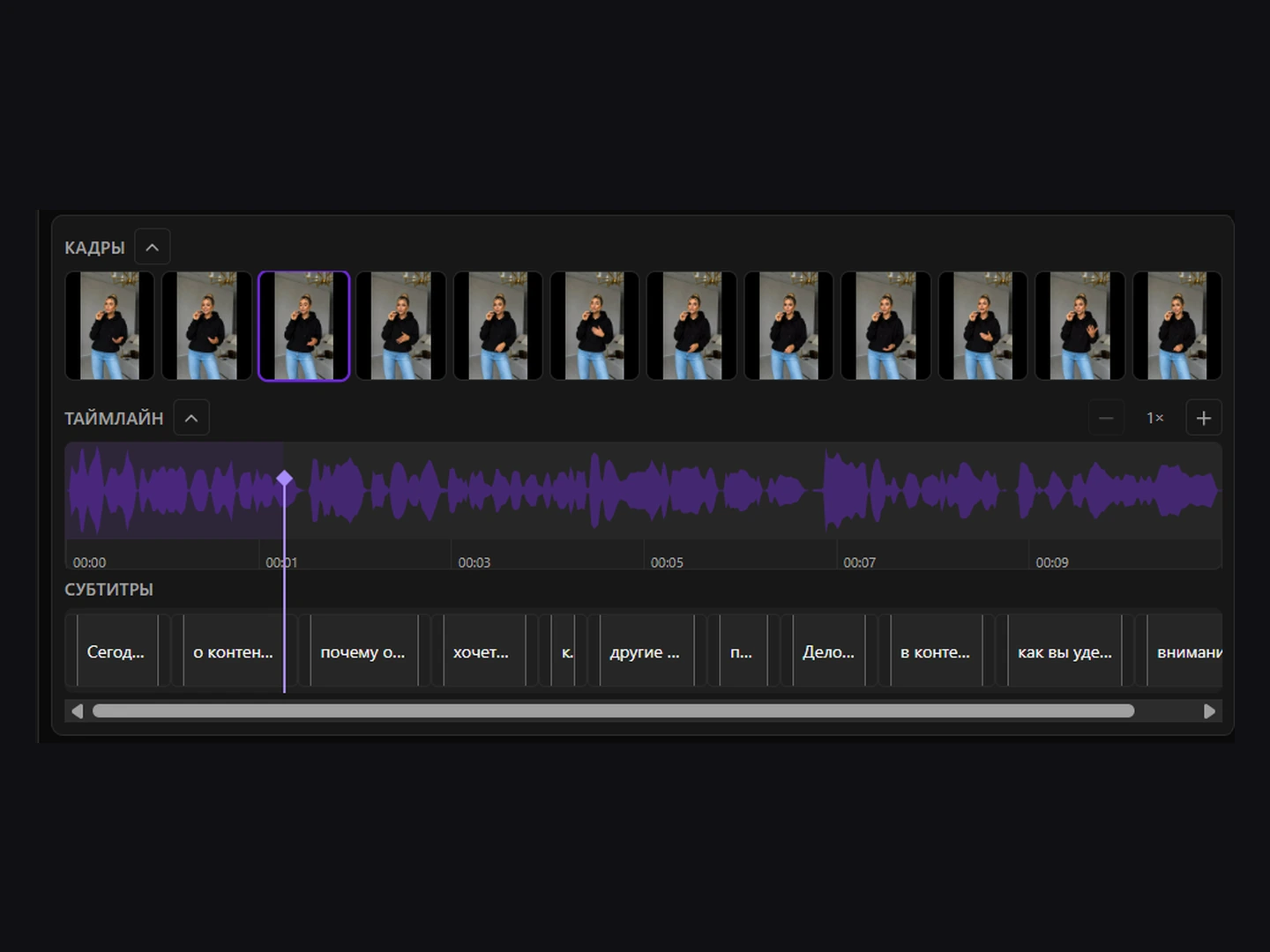
The waveform and the frame strip sit under the video. You see what you are dragging a cue against.
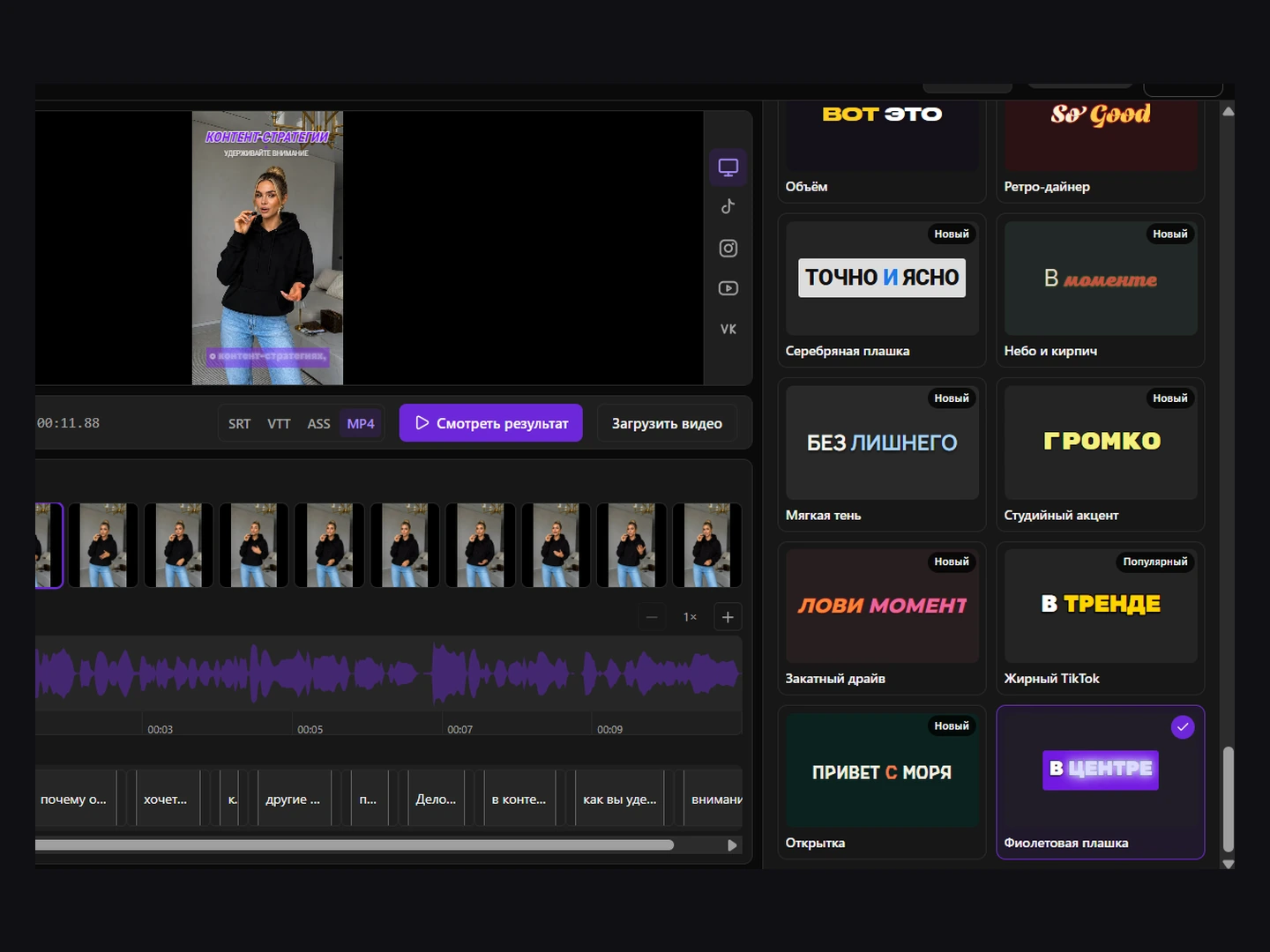
A design is chosen and laid out before you arrive; changing it is picking a preset, not building one.
Three jobs, each with a page of its own — and each one you can overrule.
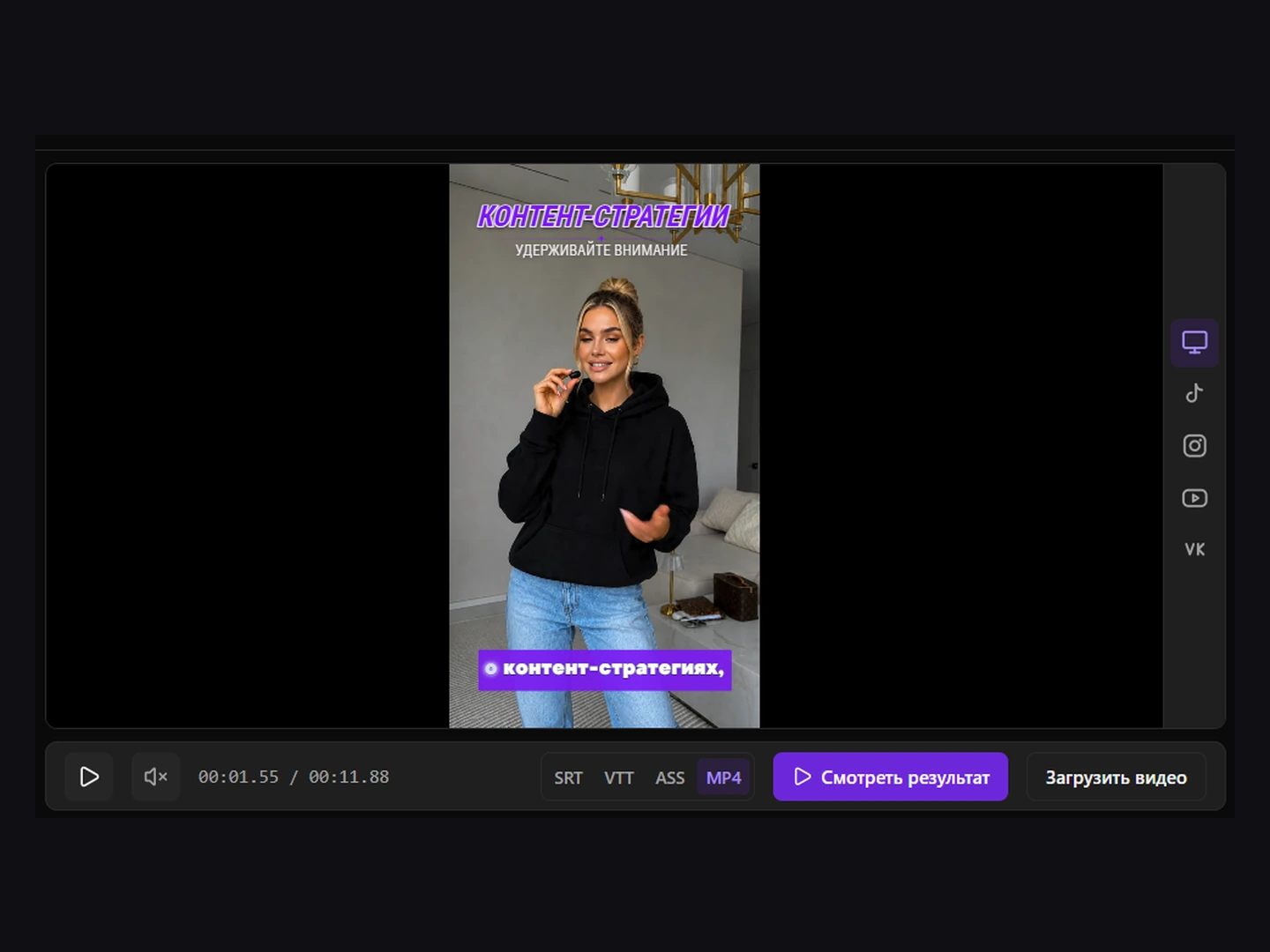
Captions Space analyses the frames for faces and objects and places the captions where they cover neither. You can move them yourself.
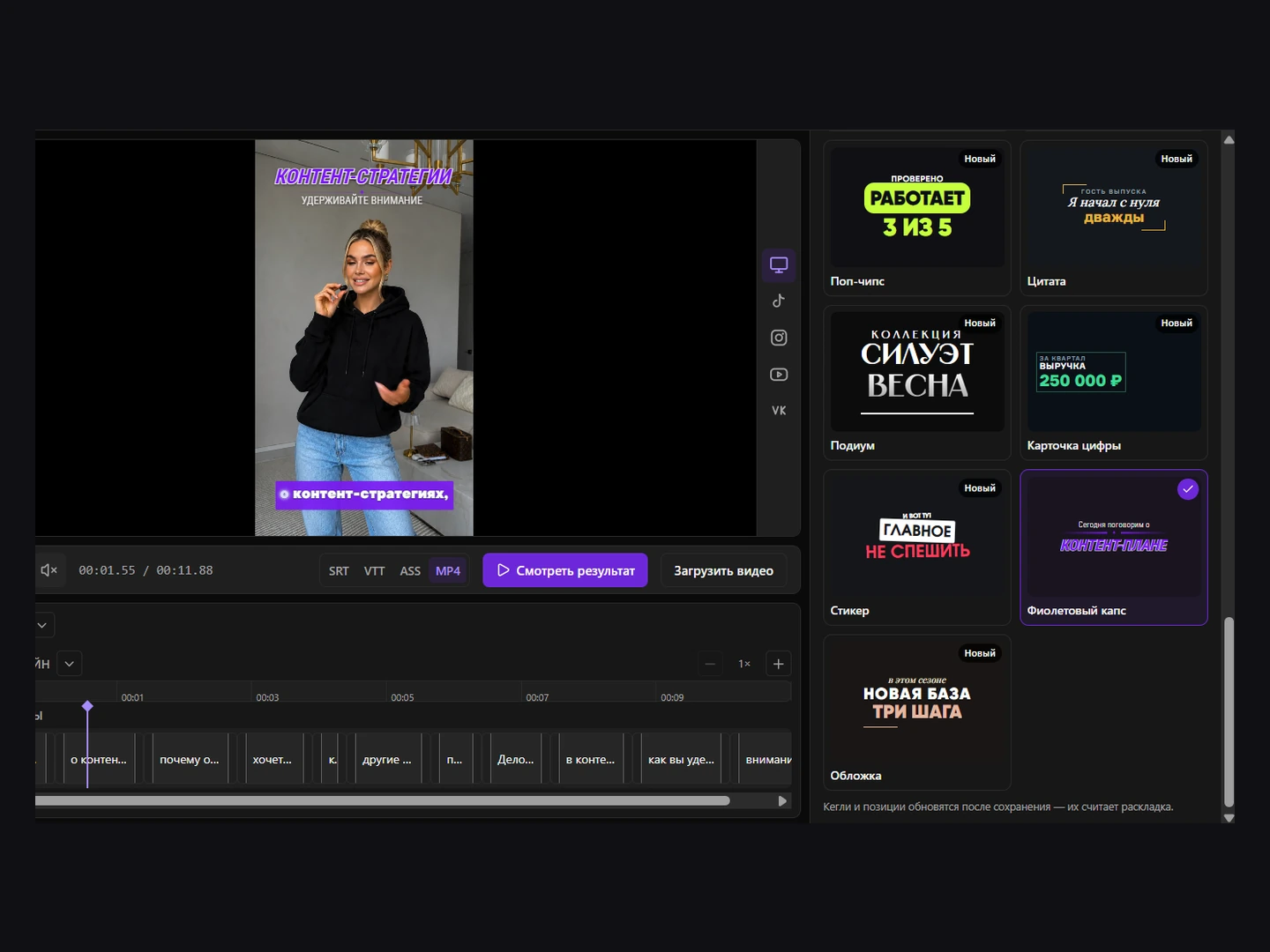
The model picks two to four words carrying the point and puts them large on the frame, timed to the voice.
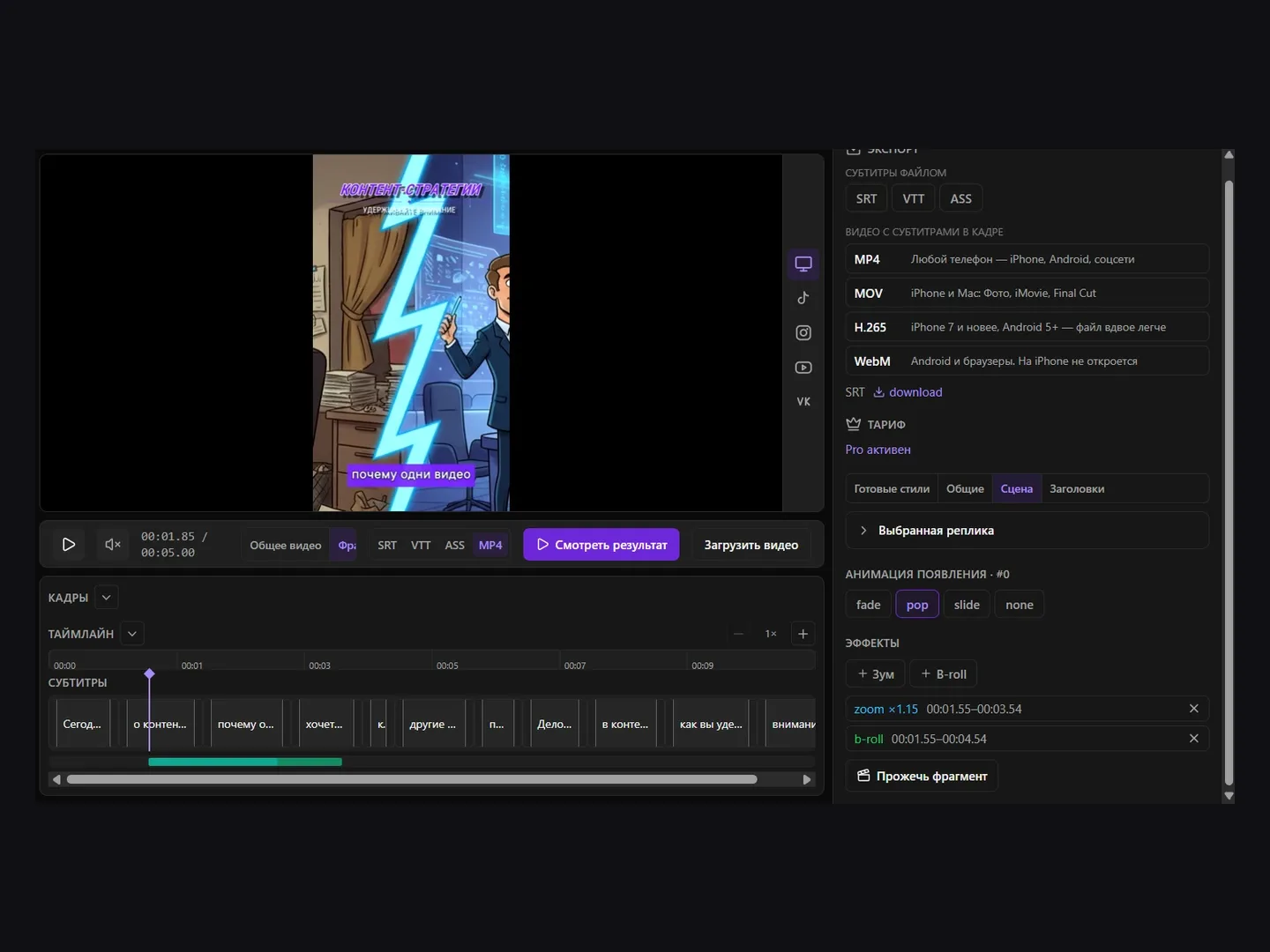
The editor lays your own clip or still over the talking head and places zooms on the timeline.
Timing is calculated per word, so each word lights up exactly as it is spoken.
Two things you can count, and six you can do.
58
Pick one and adjust it, or build your own: font, colour, outline, shadow, word animation. The font library holds 114 families, and the preview renders what the export will.
7
Subtitle files for a player that draws them itself, or video with the captions burned into the frames. Lite and Pro export everything with no watermark.
Fix a word once and every place it appears follows.
Drag cue boundaries against the waveform and the frame strip.
Automatic layout clear of faces, moved by hand when the shot needs it.
Key phrases large on the frame, on their own track.
Overlays and zooms over the talking head.
How much text fits into one cue and how long it stays on screen — three settings.
On a tablet the side panels open over the workspace; on a phone the interface splits into Subtitles, Style and Timeline tabs.
It is not a general video editor. There is no multi-track cutting, no colour grading, no transitions — the video you upload is the video you get back, with captions on it.
It is not an SRT file editor either. It works on subtitles it generated from your video; if you already have a finished .srt and only need to fix the text and timings, that is a separate tool and it needs no account.
It does not run on your machine. Recognition, frame analysis and rendering happen on the service, so a long video does not depend on your laptop.
Drop in a video and the pipeline starts on its own: audio is extracted, speech recognised, words aligned to the sound, frames analysed, and a first design laid out. The current stage is shown while it runs.
Edit what only you can decide — the wording, the emphasis, the look, and where the captions sit in the frame.
Export as a subtitle file for a player that draws captions itself, or as video with them burned into the frames.
There is a free plan: 6 credits a month (1 credit = 1 minute of footage), clips up to 6 minutes each, with no card required. Free exports are MP4 with a watermark; Lite and Pro remove it, add SRT, VTT and ASS, and raise the minutes.
Captions Space generates AI subtitles, styles them with designer presets and exports the finished video.
Create captions →No credit card required
Runs in the browser — no install, no credit card, and a free plan with 6 minutes of video a month.