Editor
Video preview
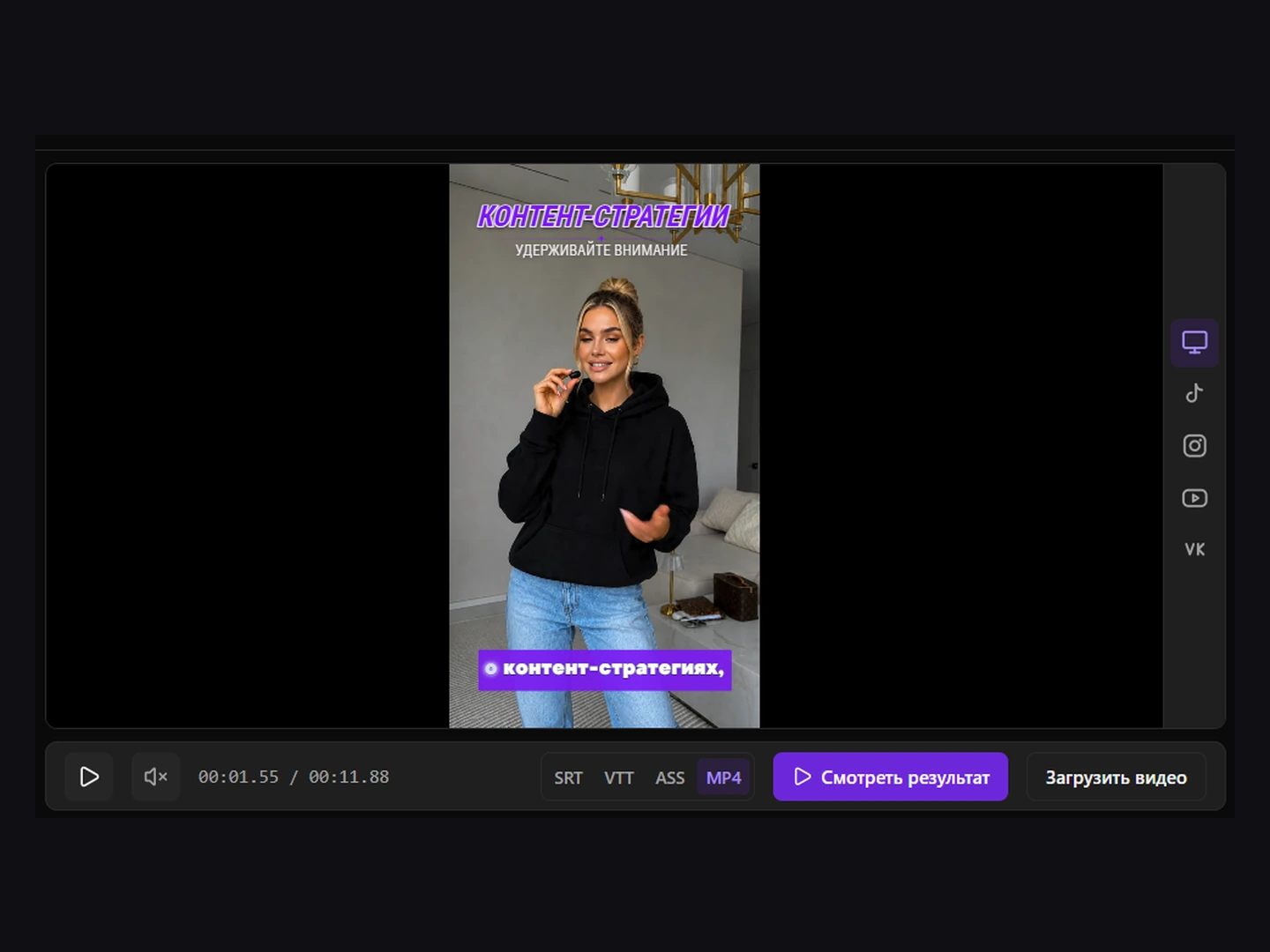
Playback, text placement, social platform previews and checking the finished file.
Playback controls
- Play and pause.
- Mute and unmute — sound is muted when the preview first opens.
- Current time and total duration.
- Replace the local source video.
- View the result in the selected format.
Live preview
While editing, subtitles are displayed as a separate layer over the source video. The layer is clipped to the actual video frame, so text does not spill onto letterbox areas.
Subtitle position
For supported scenes, drag the subtitle layer directly over the video. The new position is saved for the active scene and used in the next result build.
Source and result
Below the video, choose SRT, VTT, ASS or MP4 and click View result. SRT and VTT preview a separate text track, ASS previews styled subtitles, and MP4 shows the finished video. Return to editing for further changes, save them and prepare the result again.
Review before export
- Watch the beginning, middle, and end.
- Check scene changes and long cues.
- Enable sound and verify synchronization.
- Open the finished result and compare it with the preview.
Social platform previews
Use the icons beside the video to preview TikTok, Instagram Reels, YouTube Shorts or VK Clips. The mockup helps identify text covered by platform buttons and captions. Select the monitor icon to return to the original frame. These mockups are for review and are not added to the exported video.